In this blog post, I want to share with you, everything you need to know about recharge card printer.
In Nigeria today, selling recharge cards is still a profitable venture despite the increasing popularity of mobile banking and airtime top-up through USSD and mobile apps. This is because a large percentage of the population still prefers buying physical recharge cards, especially in rural areas where mobile internet connectivity is poor.
If you’re looking for a way to start a small-scale business with low startup capital, printing and selling recharge cards might be your best bet. But to get started, you need a recharge card printer.
What Is A Recharge Card Printer?
A recharge card printer is a device used to print prepaid mobile airtime vouchers or recharge cards. These printers work with specially designed software like the popular netdivo epin manager app and pin codes (ePins) provided by licensed airtime recharge cards dealers or vendors.
Rather than buying pre-printed cards from wholesalers, you can print your own recharge cards and sell to retailers or directly to end users. This gives you better profit margins and more control over your business.
Types of Recharge Card Printers
There are different types of printers used for printing recharge cards, including:
- Inkjet Printers
Inkjet printers are the regular printers found in homes and offices. They can be used to print recharge cards but may not be cost-effective due to the high cost of ink and paper. - Laser Printers
Laser printers are faster and more cost-effective than inkjets for bulk printing. However, they are expensive to purchase and maintain. - Thermal Printers
Thermal printers use heat to transfer prints onto paper via thermal printing. They are very popular in the recharge card printing business due to their speed, low maintenance and ability to print without ink.
The most recommended type for recharge card business, especially for mobile or small-scale use, is the Bluetooth Thermal Printer – 58mm.
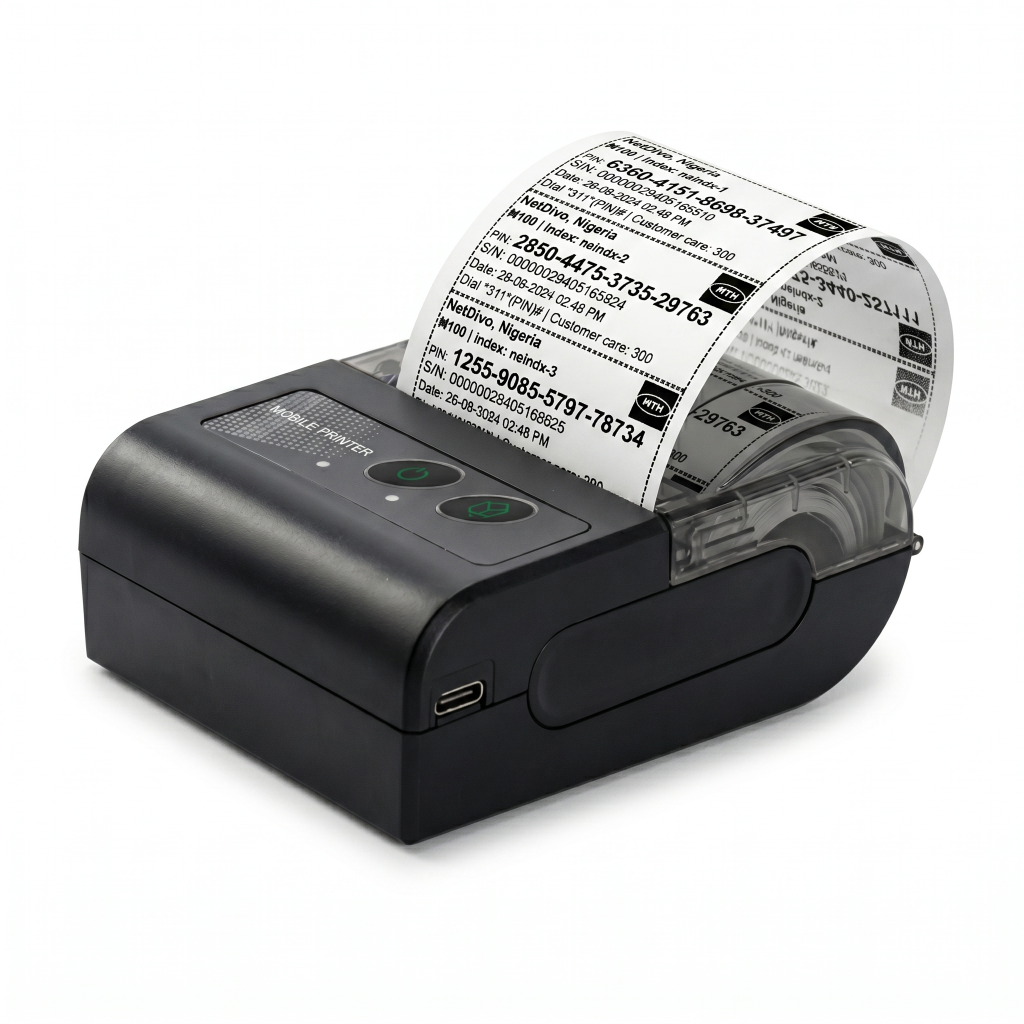
Why Choose the Bluetooth Thermal Printer – 58mm?
The Bluetooth Thermal Printer – 58mm is a compact, portable and highly reliable printer that connects easily with iPhones and Android phones. It is ideal for printing recharge cards because:
- No Ink Required: Uses thermal paper instead of ink cartridges.
- Low Cost of Operation: The thermal paper is affordable and readily available.
- Mobile Friendly: Pairs seamlessly with Android phones using apps like RawBT.
- Fast Printing: Prints fast and clearly, ideal for printing multiple recharge cards daily.
- Compact and Portable: You can carry it around for mobile sales.
You can read more about bluetooth printer for recharge card printing business.
How Much is Recharge Card Printer on Jumia?
As of now, the Bluetooth Thermal Printer – 58mm is available on Jumia Nigeria with a price range between ₦35,000 to ₦110,000, depending on the seller and whether it comes with accessories like thermal pos paper for printing.
To check the current price and purchase on Jumia, simply go to www.jumia.com.ng and search for Bluetooth Thermal Printer – 58mm.
Make sure to read the product description and reviews to ensure you’re buying from a trusted seller.
How Much Is Recharge Card Printer On Konga?
On Konga Nigeria, the Bluetooth Thermal Printer – 58mm is usually sold within the range of ₦50,000 to ₦95,000. Prices may vary based on location, stock availability and seller.
To buy from Konga, visit www.konga.com and search for Bluetooth Thermal Printer – 58mm. Konga also offers nationwide delivery and multiple payment options.
Where Else Can I Buy Recharge Card Printer in Nigeria?
Besides Jumia and Konga, you can also buy the printer from:
- Computer Village, Lagos
- Online marketplaces like Jiji.ng
- Recharge card printing solution providers like NetDivo
Buying directly from a recharge card printing software provider like NetDivo, may come with the benefit of technical support and setup guidance.
You can also buy recharge card printer at Amazon marketplace. You can check out the bluetooth printers for sale listed in a blog post I published for more info.
How To Use Recharge Card Printer for Printing Recharge Cards
If you want to use recharge card printer for printing recharge cards,
- Install a printer app on your mobile phone
- Power ON your recharge card printer and turn ON the bluetooth on the printer and on your smartphone
- Launch the installed printer app and add your printer to it via the app settings
- Register, login and buy airtime ePins from Netdivo epin manager
- Print directly or save the recharge cards as a PDF file through the NetDivo ePin manager and share the pdf to your recharge card printer.
You will get more explanation on this from NetDivo if you are a registered user of the Netdivo ePin Manager.
Below is sample print out from a thermal bluetooth printer for printing recharge cards.

If you’re ready to get started with the recharge card printing business and need help with purchasing the recharge card printer, setting it up or getting your netdivo epin manager activation code required to register at https://epins.netdivo.com, feel free to reach out via our contact us page.


Leave a Reply